
Releasing a software update shouldn’t involve endless approvals, manual deployments, or last-minute fixes. Yet many businesses still struggle with slow release cycles, disconnected development teams, and production issues that take too long to resolve.
According to Google’s 2025 DORA research, 90% of surveyed organizations have adopted at least one internal platform to support software development. However, having the right tools alone doesn’t guarantee faster or more reliable software delivery. Teams also need clear workflows, automation, and shared responsibility.
DevOps helps address these challenges by connecting development and operations through continuous collaboration, automated processes, and regular feedback. This guide explains what DevOps is, how it works, its benefits, and the practices businesses can adopt to improve software delivery and reliability.
What Is DevOps ?
DevOps combines development (Dev) and operations (Ops) into a collaborative approach to the software lifecycle. Developers, operations engineers, quality teams and security specialists share responsibility for delivering changes and keeping software dependable after release.
Traditionally, a development team might finish a feature and hand it to a separate operations team for deployment. If the release failed, responsibility could become unclear.
DevOps reduces that disconnect with shared workflows, automation and visibility into what happens in production.
DevOps is not a single job title, a certification, a cloud product, or a requirement to deploy several times a day.
A company can adopt useful DevOps practices without creating a separate department or moving its entire application to Kubernetes.
How Does DevOps Work ?
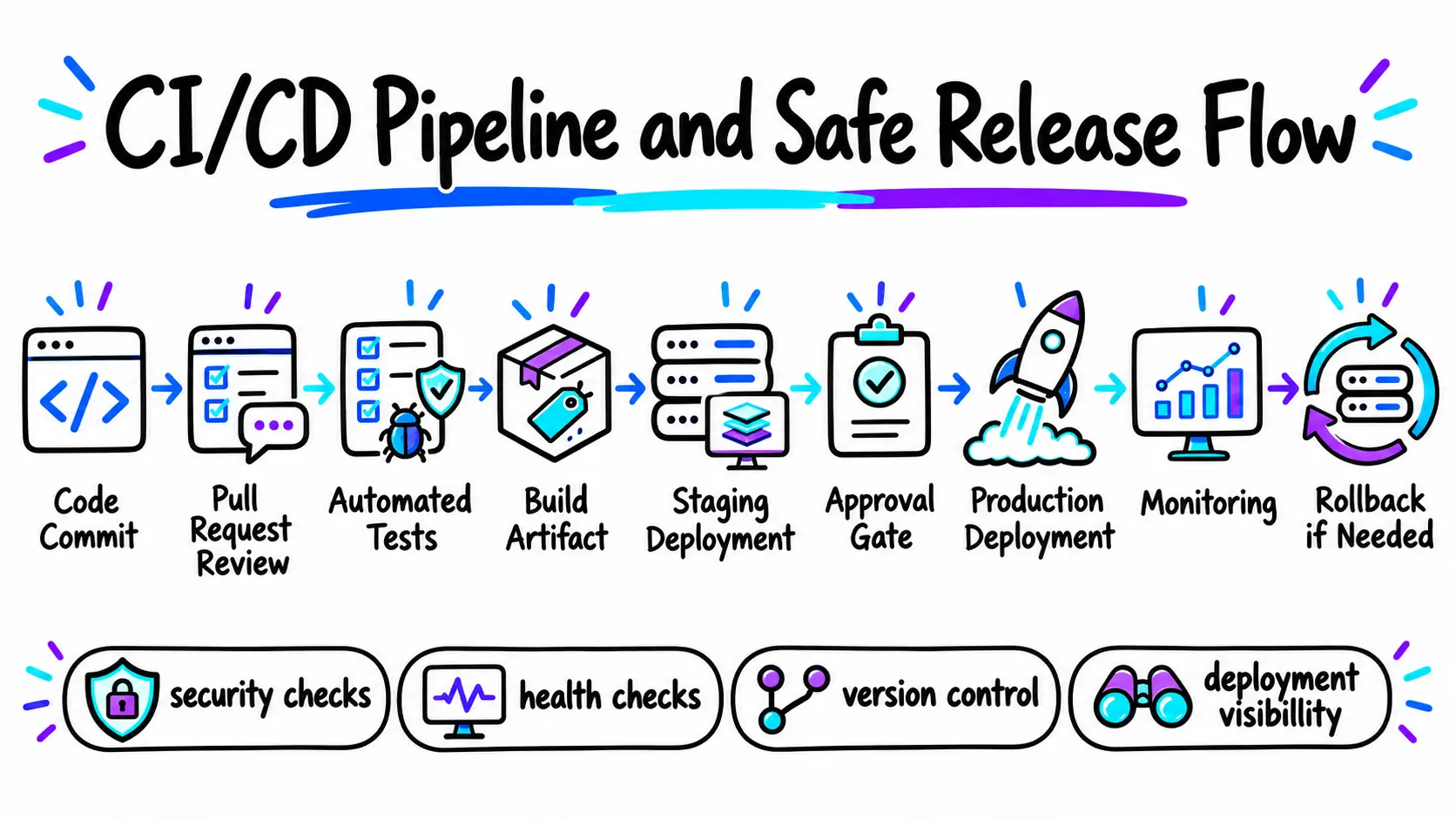
DevOps connects software planning, code changes, testing, deployment and operations through a feedback loop.
A typical change follows this path:
Plan → Code → Build → Test → Release → Deploy → Operate → Monitor → Improve
Imagine a SaaS company updating its subscription checkout.
A developer makes a small change and opens a pull request. Automated checks test the code and identify known security issues.
After review, a pipeline builds a versioned application artifact and deploys it to a staging environment.
Once the change passes validation, the team approves a production release. Monitoring then checks checkout errors, latency and conversion-related events.
If the change causes problems, the team can disable it, roll back the release, or restore a known-good version.
The important improvement is that each step is visible and repeatable rather than dependent on one engineer remembering a manual checklist.
The approach rests on three connected elements:
- People: Developers and operations staff agree on ownership, escalation, reliability expectations and how releases are approved.
- Processes: The team uses small changes, peer reviews, automated checks, documented recovery steps and incident follow-ups.
- Technology: Version control, CI/CD pipelines, infrastructure automation and observability make those processes repeatable.
Automation supports DevOps, but it does not replace clear ownership or good engineering judgment.
Understanding the DevOps Lifecycle
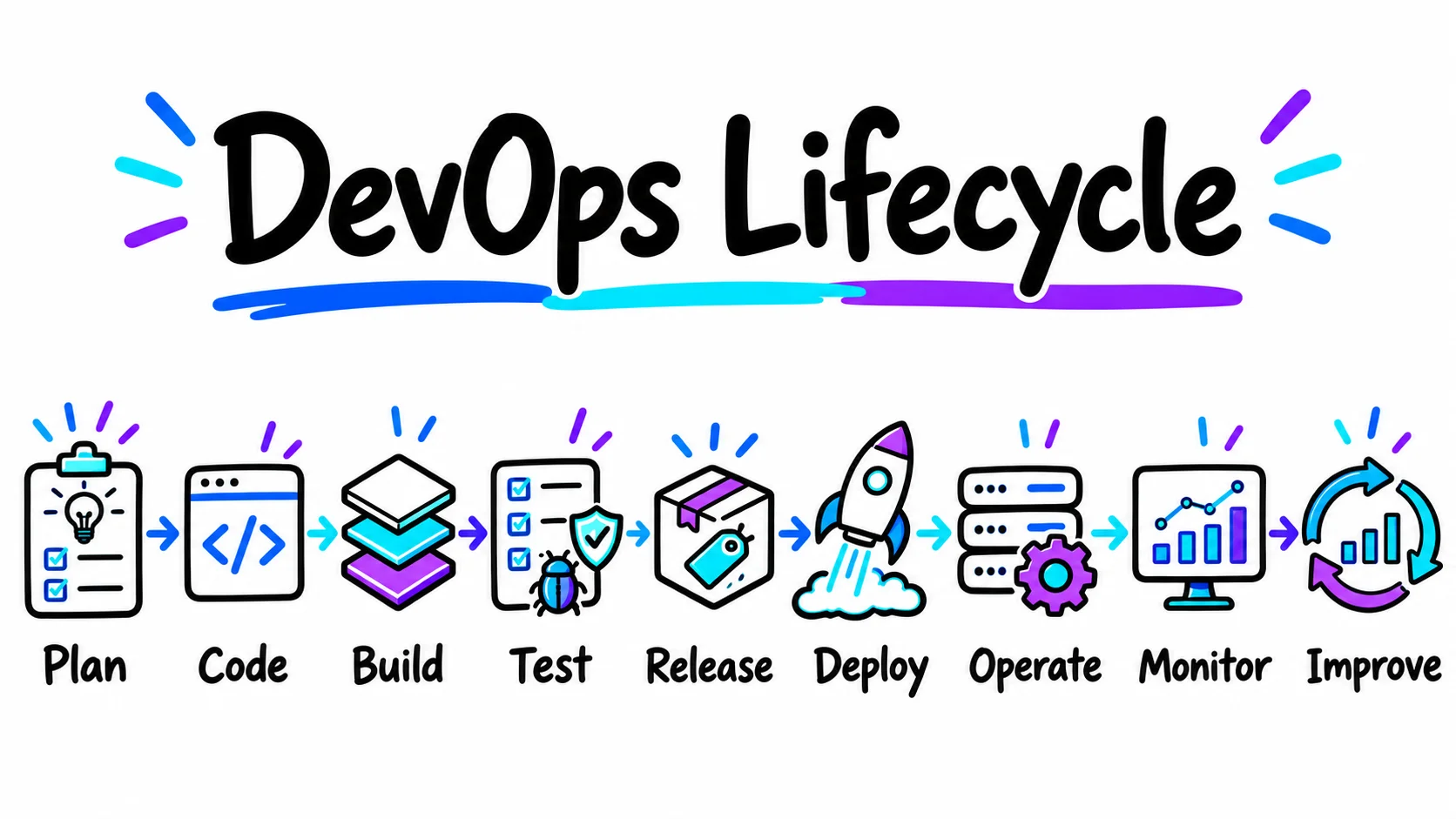
The DevOps lifecycle is best understood as a continuous loop, not a rigid sequence of departments.
Different organizations group its stages differently, but the following activities are common.
1. Plan and Prioritize
Product and engineering teams define user needs, acceptance criteria, operational risks and measurable goals.
For a payment-related change, planning should include rollback expectations and how success will be measured after release.
2. Develop and Review Code
Engineers work in version control, make changes in manageable batches and use peer review to spot defects and design problems.
Smaller changes are generally easier to understand and recover when something fails.
3. Build and Test Automatically
A continuous integration system produces consistent builds and runs appropriate unit, integration, security and sometimes end-to-end tests.
Failed checks prevent risky changes from moving forward until the problem is addressed.
4. Release and Deploy Safely
A delivery pipeline moves a tested version through environments with approvals where required.
Deployment strategies such as rolling, canary, or blue-green releases can reduce exposure to a faulty change, provided health checks and rollback paths are properly configured.
5. Operate, Monitor and Learn
Once software is live, teams monitor availability, errors, response times, infrastructure health and user-facing outcomes.
Alerts should identify actionable failures. Incident reviews then feed improvements back into planning and engineering.
Continuous integration, continuous delivery and continuous deployment are not interchangeable.
Continuous integration (CI) integrates and verifies code changes frequently.
Continuous delivery keeps changes in a deployable state, often with a manual production approval.
Continuous deployment automatically releases passing changes to production without that final manual step.
The appropriate level of automation depends on risk and organizational requirements.
What Are the Benefits of DevOps for Businesses ?
DevOps can improve both delivery speed and operational stability, but the benefits depend on implementation quality and the team’s starting point.
| Business Challenge | DevOps Practice | Potential Benefit |
|---|---|---|
| Releases require manual coordination | CI/CD with documented approvals | More predictable releases and less repetitive work |
| Bugs surface after deployment | Automated testing and staged releases | Earlier defect detection and lower release risk |
| Configuration differs across environments | Infrastructure as code | More consistent, reviewable environments |
| Incidents are noticed by customers first | Monitoring, alerts and on-call processes | Faster detection and recovery |
| Teams disagree about who owns failures | Shared service ownership and incident reviews | Clearer accountability and faster learning |
| New products struggle with traffic growth | Capacity planning and appropriate scaling | Better preparedness for demand changes |
Faster Delivery Without Rushing Releases
Good DevOps practices reduce waiting time between a completed feature and its safe release.
That does not mean skipping review or shipping unfinished code.
In many teams, the first improvement comes from eliminating manual handoffs and making test results trustworthy.
More Dependable Operations
Repeatable deployments, relevant monitoring and recovery procedures help teams respond to incidents.
Reliability still requires sound application design and realistic capacity planning. A deployment pipeline cannot compensate for an unstable product architecture.
Better Use of Engineering Time
When routine setup and release tasks are automated, engineers can spend less time repeating manual steps.
Automation itself has maintenance costs, so it should focus on tasks performed often or carrying significant operational risk.
Core DevOps Practices That Matter Most
Core DevOps practices help businesses automate workflows, improve collaboration, and deliver reliable software faster. Here are the key practices to follow.
CI/CD Pipelines
A pipeline automatically checks code, builds an artifact and coordinates delivery to test or production environments.
An effective pipeline answers three questions:
What changed? Did it pass the required checks? Can we recover if it fails?
A pipeline that deploys quickly but lacks meaningful test coverage or rollback capability can increase risk.
Start by making checks reliable before increasing deployment frequency.
Infrastructure as Code (IaC)
Infrastructure as code describes cloud resources, networks and configuration in version-controlled files.
Tools such as Terraform can help teams review infrastructure changes before applying them and recreate consistent environments.
Teams still need to manage secrets, permissions, state files and configuration drift carefully.
Containers and Orchestration
Containers package an application and its dependencies consistently.
Docker is a common container tool, while Kubernetes helps manage containerized workloads across infrastructure.
Kubernetes can restart or replace unhealthy containers, but it does not automatically fix defective application logic.
A managed container service or simpler hosting arrangement may be a better choice for smaller teams.
Observability and Incident Response
Monitoring answers whether a system is working.
Observability helps engineers investigate why it is behaving that way.
Useful signals include metrics, structured logs, traces and user-facing indicators.
Teams should also define incident ownership, escalation path and recovery procedures.
DevSecOps
DevSecOps integrates security into development and operational workflows.
Practical controls include dependency scanning, secrets detection, least-privilege access, artifact protection and security checks in the delivery pipeline.
NIST’s Secure Software Development Framework offers a useful foundation for managing software security practices. It is not an automatic certificate of compliance.
Which DevOps Tools Do Businesses Actually Need ?
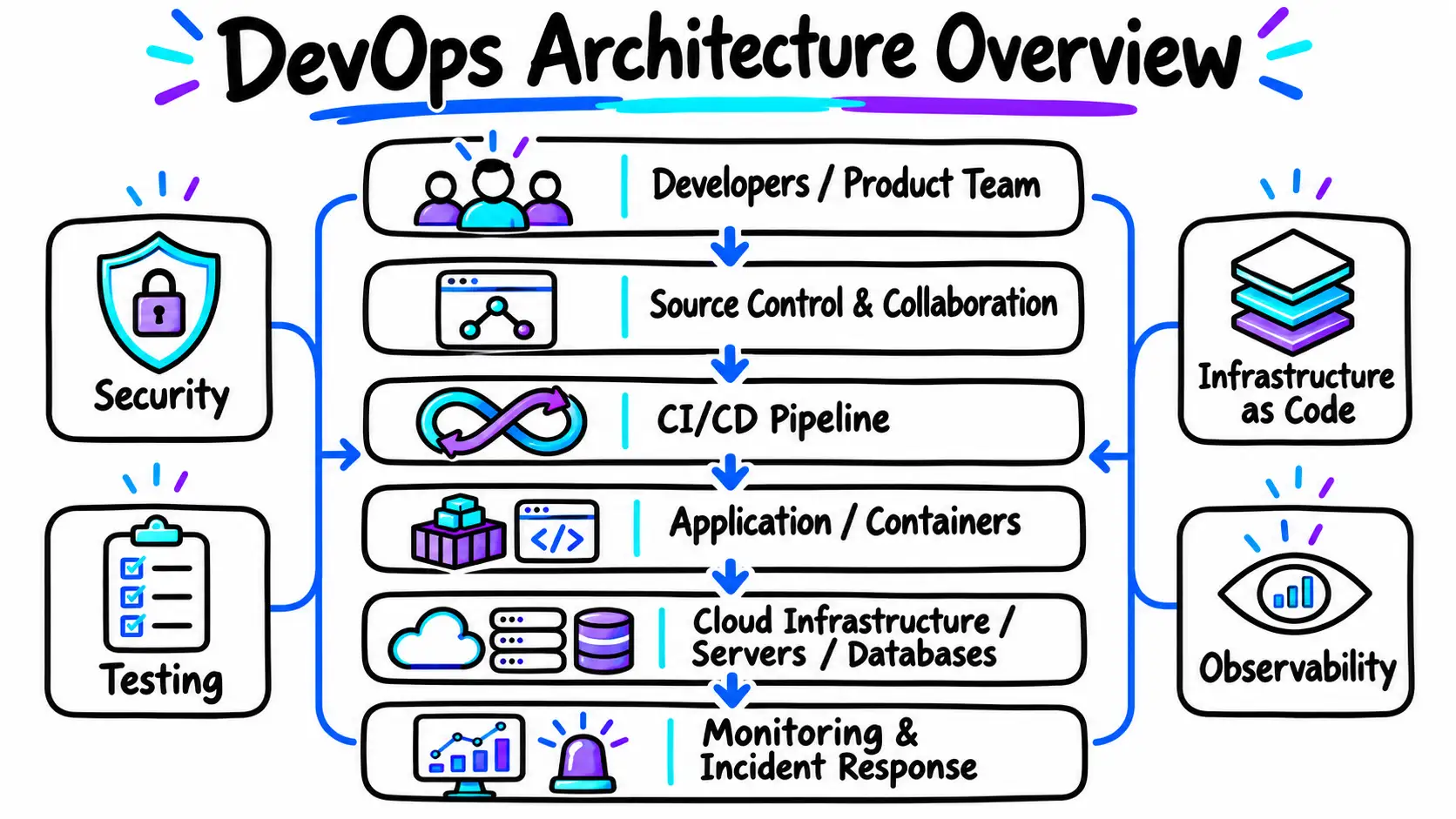
There is no universal DevOps tool stack.
Choose tools around your existing platform, team skills, security obligations and operational bottlenecks.
| Need | Common Tool Examples | Selection Consideration |
|---|---|---|
| Source control and collaboration | Git, GitHub, GitLab | Repository governance and developer workflow |
| Build, test and deployment automation | GitHub Actions, GitLab CI/CD, Jenkins | Integrations, maintenance effort, approvals |
| Container packaging | Docker | Reproducibility and runtime requirements |
| Container management | AWS ECS, Kubernetes | Team expertise and infrastructure complexity |
| Infrastructure as code | Terraform, Pulumi | Provider support, state management, review process |
| Monitoring and observability | CloudWatch, Prometheus, Grafana | Signal quality, retention, alert fatigue |
| Code and dependency security | SonarQube, dependency scanners | Coverage, false positives, remediation workflow |
Use the simplest architecture that reliably meets your needs.
A startup with one web application may need automated tests, a managed hosting platform and sensible monitoring long before it needs a Kubernetes cluster or a dedicated platform engineering team.
DevOps vs. Agile vs. DevSecOps
These concepts overlap but solve different problems.
| Approach | Primary Concern | Example |
|---|---|---|
| Agile | How teams plan and adapt product work | Short iterations, feedback, prioritized backlogs |
| DevOps | How teams deliver and operate software reliably | CI/CD, infrastructure automation, production feedback |
| DevSecOps | How security is embedded throughout delivery | Security tests, access controls, supply-chain checks |
A team can plan work using Agile practices while relying on DevOps for delivery and operations.
DevSecOps adds explicit security responsibilities and checks across those workflows.
None replaces the others.
How to Implement DevOps in Your Organization
Start with one service, establish a baseline and fix the most costly delivery or reliability bottleneck before expanding.
A large tool migration is usually a poor first move if the team does not yet understand where delays and failures originate.
Step 1: Map the Current Delivery Process
Trace a representative code change from developer commit to production.
Identify approvals, manual tasks, test delays, environment inconsistencies and common incident causes.
Ask who can deploy, who can roll back and how long each step takes.
Step 2: Define an Outcome and a Baseline
Choose a small number of meaningful measures: deployment lead time, release frequency, change failures, recovery time, or the hours consumed by manual releases.
Include customer-facing measures such as availability or critical transaction errors.
Step 3: Strengthen Version Control and Automated Tests
Make code review and essential tests dependable.
A fast pipeline that passes broken code is not an improvement.
Prioritize the tests most relevant to the service’s business risks.
Step 4: Automate a Safe Path to Staging
Use versioned build artifacts and consistent configurations.
Verify the same artifact can move between environments without being rebuilt differently at each stage.
Step 5: Add Production Safeguards
Configure approval gates when appropriate, health checks, limited rollouts, deployment visibility and tested rollback procedures.
Establish ownership for incidents outside business hours if the product requires it.
Step 6: Monitor Results and Improve Incrementally
Review failed releases and operational alerts.
Remove noisy checks, address recurring bottlenecks and expand automation only where it brings measurable value.
The goal is not to purchase more tools. It is to improve the service and the team’s ability to operate it.
A Real DevOps Implementation: CI/CD Pipeline Automation
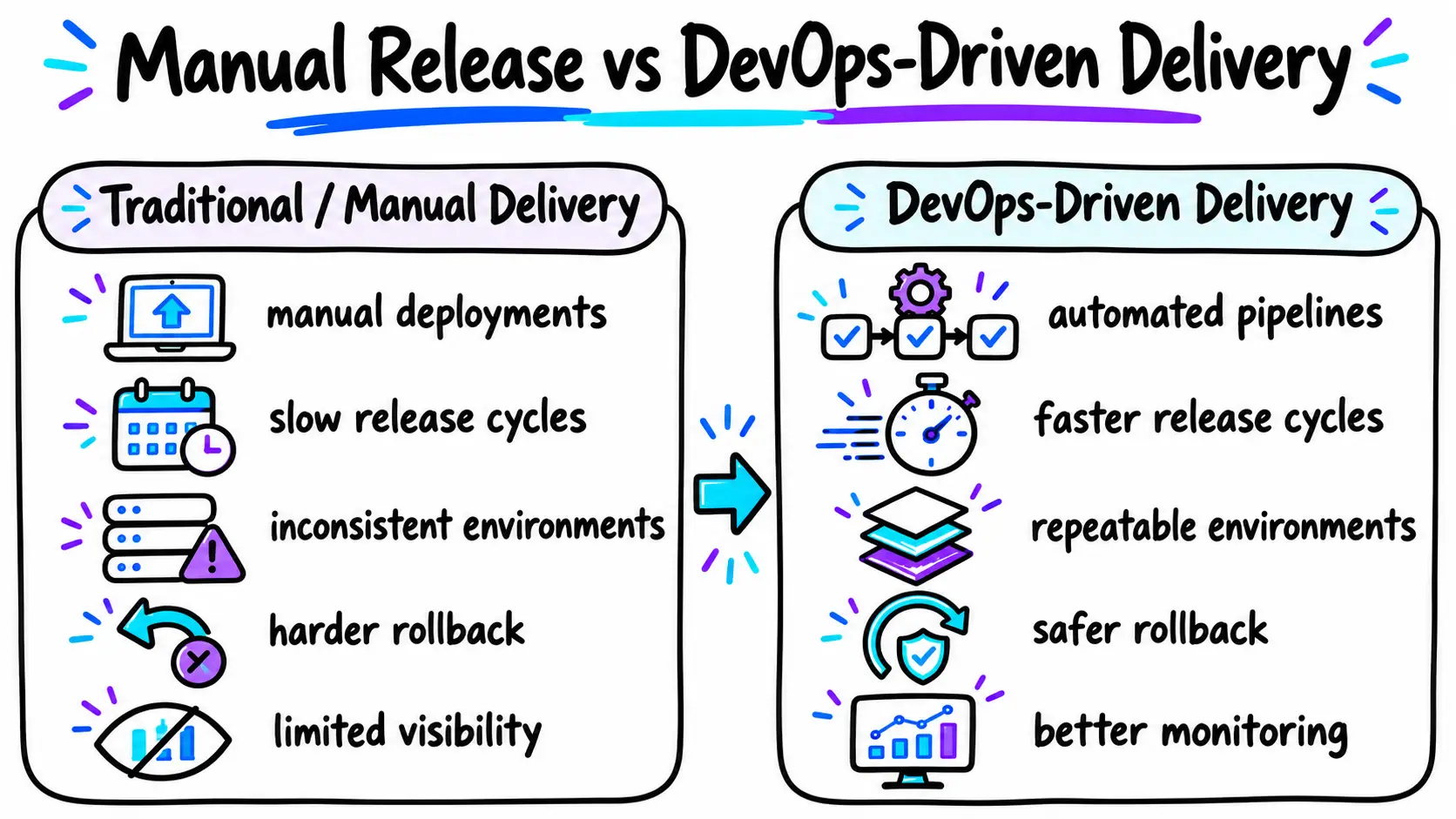
Air Brite Labs’ published CI/CD Pipeline Automation case study describes a B2B SaaS platform whose growing engineering team relied on manual production releases.
According to the case study, releases occurred every two to three weeks and a deployment required a 45-minute manual checklist.
The implementation introduced pull-request validation, automated tests, staging deployment, a production approval step, containerized builds and rollback controls.
The published architecture uses GitHub Actions, Docker, AWS ECS and ECR, Terraform, SonarQube, Jest, Cypress and CloudWatch.
The case study reports these project-specific outcomes:
- Release frequency increased from once every two to three weeks to multiple releases per day.
- Average deployment time fell from 45 minutes of manual work to under eight minutes.
- Recovery from a bad release declined from three to four hours to under ten minutes using automated rollback.
Those are reported results for this particular engagement, not general DevOps benchmarks.
The more transferable lesson is the implementation order: establish reliable checks, automate staging and only then make production deployment easier.
Faster delivery became safer because rollback and health monitoring were part of the design, not an afterthought.
How Do You Measure DevOps Success?
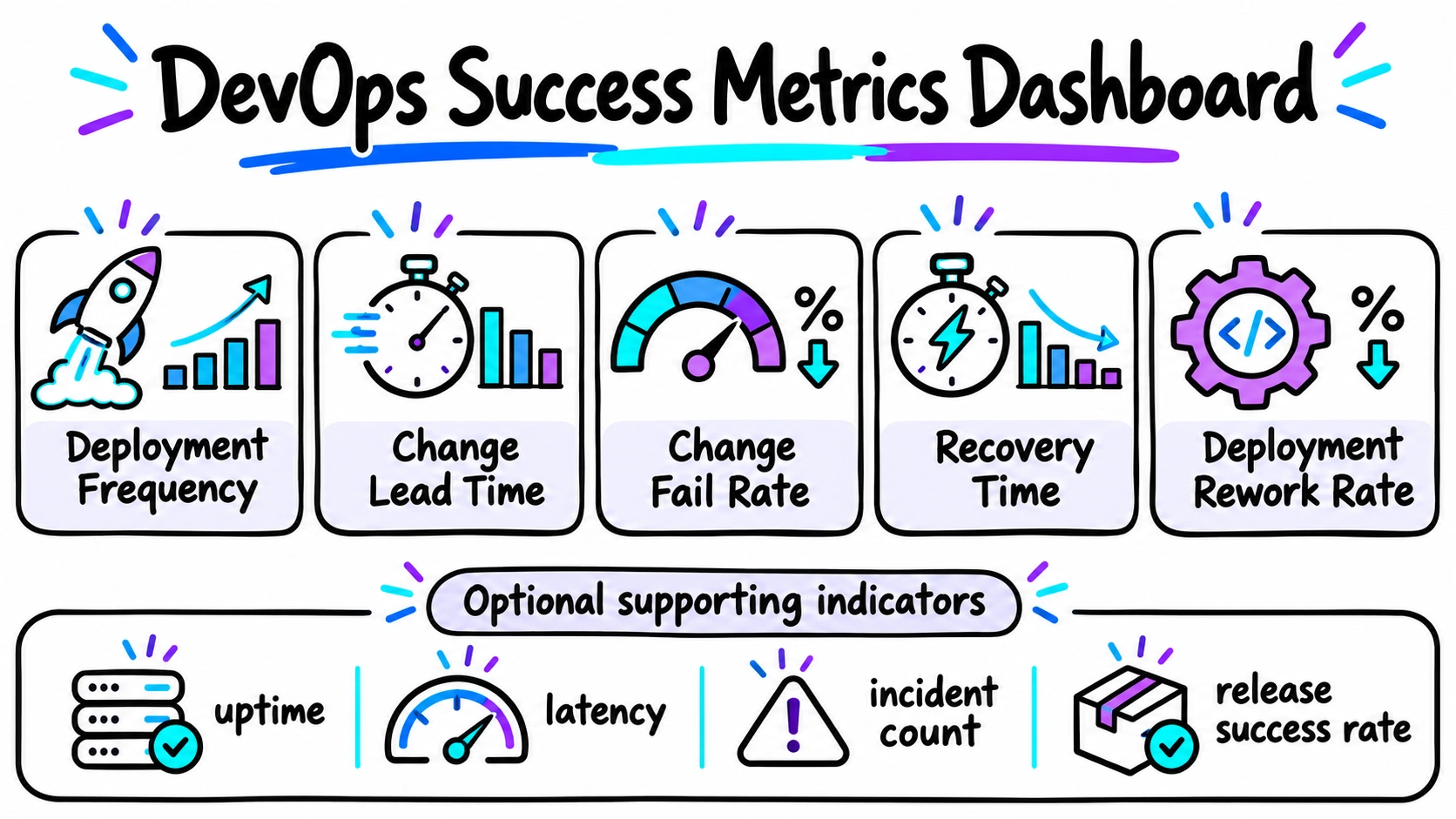
Measuring only the number of deployments can reward activity without showing whether customers benefit.
DORA, Google’s DevOps Research and Assessment program, describes five software delivery performance metrics in its guidance updated January 2026:
| DORA Metric | What It Measures |
|---|---|
| Change lead time | Time from a committed code change to its production deployment |
| Deployment frequency | How frequently a service is deployed |
| Failed deployment recovery time | Time to recover from a failed deployment requiring intervention |
| Change fail rate | Share of deployments requiring immediate intervention |
| Deployment rework rate | Share of unplanned deployments caused by production incidents |
Track these at the application or service level rather than comparing unlike systems indiscriminately.
Pair them with user-facing measures such as uptime, latency, error rates and incident severity.
A small team shipping a stable internal tool may have different appropriate release patterns from a consumer SaaS platform.
What Does DevOps Implementation Cost ?
DevOps has no single fixed implementation price.
Cost depends on the starting infrastructure, software architecture, test coverage, security needs, team capabilities and how much operational change is required.
The largest cost drivers often include:
- Current-state complexity: Legacy applications and undocumented manual workflows take more effort to assess.
- Automation scope: A single pipeline is different from standardizing deployments across dozens of services.
- Infrastructure: Cloud usage, managed services, monitoring retention and build runners create ongoing expenses.
- Security and compliance: Access controls, audit evidence, approval flows and regulated workloads increase requirements.
- Maintenance: Pipelines, dependencies, alerts and infrastructure definitions need ongoing ownership.
A limited pilot may be comparatively straightforward when code is already version-controlled and tests are reliable.
A multi-service transformation involving cloud migration, security controls and organizational change is a larger undertaking.
Request a scoped assessment rather than accepting a universal cost or timeline estimate.
Common DevOps Mistakes and How to Avoid Them
Implementing DevOps can improve software delivery, but poor planning and incorrect practices can create unnecessary challenges. Understanding these common mistakes helps businesses build reliable workflows, reduce deployment risks, and get better results from their DevOps investments.
1. Choosing Tools Without Identifying Business Needs
Many businesses adopt popular DevOps tools without understanding their actual development challenges. Start by identifying bottlenecks in testing, deployment, or infrastructure management, then choose tools that directly address those problems.
2. Ignoring Automated Testing in CI/CD Pipelines
Automating deployments without reliable testing can push software bugs into production faster. Include unit tests, integration tests, and essential security checks in CI/CD pipelines to detect issues before releasing updates.
3. Making Infrastructure More Complex Than Necessary
Adopting technologies like Kubernetes without a clear requirement can increase infrastructure costs and maintenance efforts. Choose infrastructure solutions based on application complexity, expected traffic, and your team’s technical capabilities.
4. Overlooking Security and Access Controls
Treating security as a final development step can expose applications to vulnerabilities and unauthorized access. Integrate security checks into development workflows and apply appropriate access controls, dependency scanning, and secrets management.
5. Focusing on Deployment Speed Instead of Reliability
Frequent deployments do not automatically mean better software delivery. Track deployment failures, recovery times, and application performance alongside release frequency to maintain a balance between speed and stability.
When Should a Business Adopt DevOps ?
DevOps practices are particularly useful when a company releases software regularly, operates customer-facing applications, has growing engineering teams, or struggles with inconsistent infrastructure and slow incident response.
Signs that improvement is overdue include production changes depending on one person, features waiting days for a release window, recurring configuration differences between environments and no dependable way to recover from a broken deployment.
A business with a simple, low-change website might not need a dedicated DevOps engineer.
It can still benefit from version control, automated deployment, backups and monitoring.
The right investment should match the product’s importance, the team’s size and the consequences of downtime.